What Is Website Architecture?
Site structure, or site architecture, is how the pages on a website are organized and linked together. A clear structure helps users easily navigate the site and allows search engines to crawl and rank pages effectively.
The structure creates a hierarchy, where the most important pages are higher up, with the homepage at the top. As you go deeper into the site, the pages require more clicks to reach from the homepage. This is called click depth.
Here’s a simple example of a website structure:

If a page is buried too deep, requiring many clicks to find, both users and search engines might consider it less important. Pages closer to the homepage are crawled more often by search engines and tend to rank higher in search results. Keep reading to learn more about why this matters.
Why Is Your Website Structure Important for SEO?
A well-structured website is crucial for search engine optimization as it enhances both user experience and search engine efficiency. Here's why website structure is important for SEO:
1. Facilitates Search Engine Crawling and Indexing
Before a search engine can rank a page, it needs to crawl and index it first. This is where the structure of your site becomes important. A well-organized website with strong internal links makes it easier for search engines to follow the links, find key pages, and add them to the index.
The architecture of your site acts as a guide for search engines. When pages are logically grouped and connected through URLs and internal links, search engines can discover and categorize content more efficiently.
Having a well-organized sitemap further supports this process. As more pages are indexed, you can improve your organic visibility by optimizing for a broader set of keywords.
2. Enhances User Experience
A good site structure makes browsing easy for users, encouraging them to explore more pages on your website. This positive experience can turn casual visitors into leads or customers over time.
When designing your site, focus on creating a structure that guides users smoothly through your marketing funnel. Make it simple for them to navigate to key pages like products, services, or other important sections.
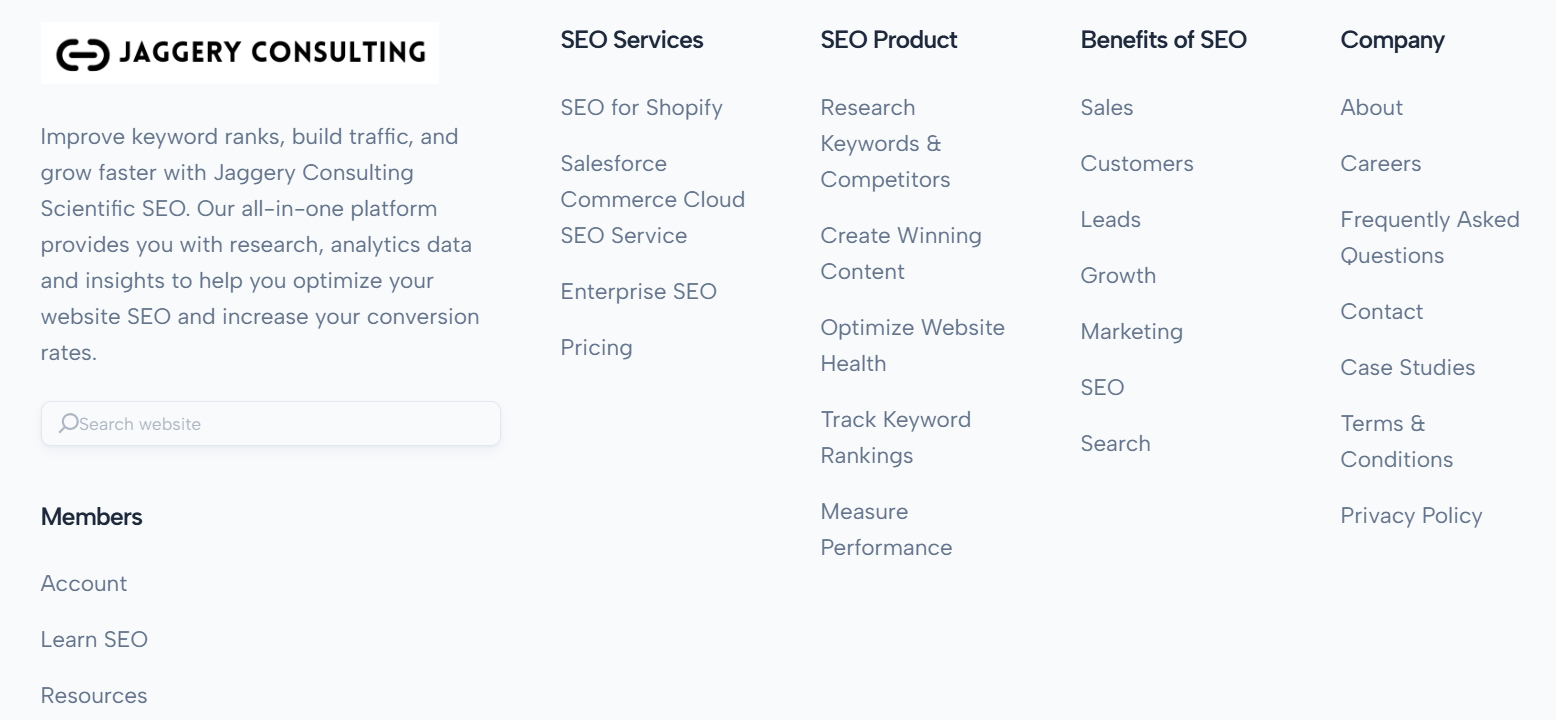
For example, Jaggery Consulting does this well.

Their SEO consulting website uses a clear menu to group services into categories like SEO Services, SEO Products, and Website Optimization. This helps users find what they need in just a few clicks.
3. Distributes Page Authority Effectively
Internal linking is an important SEO strategy that helps share page authority across your website. Page authority, also known as "link equity," refers to the value passed from one page to another through links. When a high-authority page (one with many external backlinks) links to other pages on your site, it shares some of its authority with those pages. This boosts the chances of less visible pages ranking better, as search engines view these links as votes of importance.
Think of your website as a network of interconnected pages. The homepage, usually the most authoritative because of external backlinks, is at the center. From there, internal links spread out to main category pages, which in turn link to specific content pages. This setup helps distribute authority from the homepage to other pages, ensuring even the less visible content gets the benefit.
A well-organized internal linking strategy not only helps spread authority but also makes navigation easier for users and helps search engines crawl your site more effectively.
Below is a diagram illustrating this concept:

This can help lower-authority pages rank better, bringing more traffic to them.
4. Assists in Sitelinks Generation
Sitelinks show up in Google search results, usually for brand searches. They give users quick links to important pages on your site. For example, if you search for 'Impression Digital,' you'll see a link to the homepage along with a few links to other key pages.

But, how do search engines decide which pages to show as sitelinks? It all comes down to how your website is organized.
Google explains that sitelinks are created by analyzing your site's link structure. They look for shortcuts that help users quickly find what they need. If you want a specific page to appear as a sitelink, here's what you should do:
- Make sure the page is linked in important places, like your main menu or footer.
- Add links to it from other key pages on your site, but only if it fits the context.
- Use clear and relevant text for those links to show what the page is about.
Types of Website Structure
Before improving your site’s structure for SEO, think about which type of structure suits your website and goals. You can choose from a few options:
- Hierarchical
- Sequential
- Matrix
- Database structures.
Here’s a simple breakdown of these four main types of website structures and when to use each:
1. Hierarchical
A hierarchical website structure, also called a tree structure, is one of the most common ways to organize a website. It starts with broad, general categories and moves down to more specific, individual pages.
For example, on e-commerce websites, you might have a top-level category like "Shirts." Under this, there could be subcategories like "T-Shirts," "Blouses," and "Knits," which then lead to individual product pages.

This structure works well for large websites, like those with a lot of products. Start by identifying the most important pages, such as the ones with the most traffic or essential information for visitors. Then, decide how other pages fit under these main categories.
Also, make sure the structure is logical for both users and search engines, as it’s hard to change later.
2. Sequential Structure (Linear Model)
A sequential website structure, also known as a linear model, organizes web pages in a specific order, guiding users step-by-step through content or processes.
This design is particularly effective for startups or small businesses with limited content, as it directs visitors through essential information in a straightforward manner. For instance, a small business website might lead users from the homepage to an "About Us" page, then to "Services," and finally to a "Contact" page, ensuring a logical progression.
Similarly, large websites often employ a sequential structure during checkout processes, guiding users from product selection to the shopping cart, payment details, and order confirmation, thereby simplifying complex procedures. Here is the example:

In this diagram, each page leads directly to the next, illustrating the linear progression characteristic of a sequential payment structure.
3. Database
A database-driven website is one where most of its content is stored in a database rather than static HTML files. When a user accesses such a site, the web server retrieves the necessary information from the database and dynamically generates the web page on the spot.
This approach allows for easy updates and management of content through interfaces like Content Management Systems (CMS), enabling site owners to add, edit, or delete information without needing to modify individual HTML files.
For instance, platforms like WordPress utilize this structure, allowing users to manage content seamlessly. Here is an example of database structure in one of the wordpress template:

Remember: If you're thinking about a database structure, remember this: you'll need someone skilled in programming to ensure everything is set up smoothly and nothing gets overlooked. First, check how much data your site will handle. If it’s a good match, bring in an experienced web programmer to help you plan and organize the categories effectively.
4. Matrix Structure (Webbed Model)
A matrix structure is one of the oldest website layouts on the internet. It's non-traditional and quite complex, relying on internal links and search functionality for navigation.
Take Wikipedia as an example. It’s a great representation of a matrix structure. Users can explore endless paths through its content, with more than 80% of its traffic coming from organic searches. This style works by connecting related pages without following a strict hierarchy.
Using a wiki-style matrix structure is ideal for presenting large amounts of information. It’s less about parent-child relationships and more about linking relevant pages. Each user’s next step depends on their interests, making it dynamic and user-driven.
However, this setup works best for websites with a specific focus. Broad topics can overwhelm users. For instance, a matrix structure suits training databases for companies or fan sites for TV shows.
To start, list all pages that connect logically. Then, create internal links to guide users between related content.
Best Website Architecture Practices
Follow these simple tips to build a solid site structure that boosts your SEO and improves user experience.
1. Implement a Flat Site Structure
A flat site structure means organizing your website so that all pages are just a few clicks away from the homepage. This setup makes it easier for visitors to find information quickly. For example, instead of burying a product page deep within multiple layers of categories, you place it closer to the main menu. This approach reduces the number of clicks needed to reach any page, enhancing user satisfaction.
From a management perspective, a flat structure simplifies site maintenance. Each section operates independently, allowing for straightforward updates and changes. For example, if you want to edit content in a specific area, it won’t affect anything else. This setup also helps with security because you can control permissions for each section separately.
Moreover, a flat site structure is beneficial for search engine optimization (SEO). Search engines can crawl and index your site more efficiently when pages are not buried deep within a complex hierarchy. This improved accessibility can lead to better search rankings.
On top of that, with a flatter structure, internal linking becomes more effective, helping distribute page authority throughout your site.
2. Organize Content with Clear Hierarchies
Organizing your website’s content with a clear structure means arranging information in a way that’s easy for visitors to follow. This makes it simple for users to find what they need and improves their overall experience. For example, grouping similar topics under main categories helps people navigate your site without confusion. A well-planned structure also helps search engines understand your site better, which can boost your rankings.
To build a strong content hierarchy, start by identifying the main sections of your website. These should represent the big topics your site covers. Then, add subcategories under each main section to break down specific details. This layered organization keeps your content logical and easy to explore. It also allows search engines to crawl your site more effectively, improving your SEO.
Implementing a clear content hierarchy offers several benefits:
- Better user experience: Visitors can quickly find what they’re looking for, reducing frustration.
- Higher SEO rankings: Search engines can easily index your site, which may improve visibility.
- More engagement: A well-organized site encourages users to explore further and spend more time on your pages.
Hence, by organizing your website thoughtfully, you create a space that’s easy to use and search-engine-friendly.
3. Use Internal Linking Strategically
Strategic internal linking means connecting different pages within your website in a planned way. This helps visitors move around your site easily and allows search engines to better understand and index your content.
Linking related pages guides readers to more useful information, improving their experience. For example, a blog about healthy eating can include links to recipes or articles on nutrition tips.
You can add internal links in different ways, such as:
- Breadcrumbs: These show the path to the current page.
- Contextual Links: Add links within your content naturally.
- Secondary Navigation: Use sidebars for extra links.
From an SEO perspective, internal linking distributes "link equity" or authority throughout your site. When a high-authority page links to another page on your site, it passes some of its credibility, potentially improving the linked page's search engine ranking.
Visit Jaggery Consulting tool and run a Site Audit to fix problems with internal links, like broken links that stop users from exploring your site.
Open your Site Audit report and click on 'View details' to get started.
It's important to use descriptive anchor text—the clickable words in a hyperlink—that clearly indicate the content of the linked page. This clarity helps search engines understand the context and relevance of the linked pages, further boosting your site's SEO performance.
4. Maintain Simple and Descriptive URLs
Maintaining simple and descriptive URLs means creating web addresses that are easy to read and understand for both users and search engines. A well-crafted URL gives a clear idea of the page's content, enhancing user experience and aiding search engines in indexing your site effectively. For instance, a URL like https://example.com/blog/healthy-recipes immediately informs users and search engines that the page contains blog posts about healthy recipes.
In contrast, complex URLs with random characters or lengthy strings can be confusing. A URL such as https://example.com/index.php?id=12345&cat=678 doesn't provide any meaningful information about the page's content.
Simplifying this to something like https://example.com/products/electric-toothbrushes makes it more user-friendly and SEO-friendly.
To create simple and descriptive URLs, use relevant keywords that reflect the page's content, keep the structure concise, and separate words with hyphens.
Avoid using special characters, underscores, or unnecessary parameters. For example, instead of https://example.com/blog/2025/01/19/5_tips_for_better_SEO!, opt for https://example.com/blog/seo-tips. This approach improves readability, user trust, and search engine optimization.
5. Develop Comprehensive Sitemaps
A website sitemap is a file that lists all the pages, images, videos, and files on your site.
It shows how the parts of your site are connected, making it easy for search engines to crawl and understand your site.
An HTML sitemap is for users. If they can’t find a page, they can check the sitemap to see a full list of all the pages on your site.
Here’s an example:

XML sitemaps are designed specifically for search engines. They provide a simple list of all your site’s URLs, making it easier for search engines to crawl and index your pages.
For example, an XML sitemap might look like this:

Create separate sitemaps for different parts of your website, like SEO services and SEO products. This helps organize your content and makes it easier for search engines to crawl your site.
If your sitemap has errors, search engines might not find or process some pages. This can cause them to ignore those pages, which might hurt your rankings.
To check for XML sitemap issues, use the Site Audit tool on Jaggery Consulting. Simply type 'sitemap' in the search bar to find any problems.
6. Implement Breadcrumb Navigation
Navigation should be simple for your customers, whether they’re moving forward or backward on your site. That’s where breadcrumbs come in handy.

Research by the Baymard Institute shows that breadcrumbs play a key role in helping users on mobile sites. However, 36% of mobile sites with breadcrumbs don’t include the full category path on product pages.
Even worse, 20% of desktop sites and a huge 65% of mobile sites skip breadcrumbs entirely on product pages. This can leave users confused about where they are and how to find their way back.
Breadcrumbs make navigation easier by allowing users to quickly return to category pages or your homepage with just a few clicks. In simple terms, when users browse your site, they don’t always go straight to the product they buy or the content they read. Showing their navigation path helps them backtrack easily if needed.
7. Ensure Mobile-Friendliness
Making your website mobile-friendly means designing it to work well on smartphones and tablets. This includes creating a layout that adjusts automatically to different screen sizes, so everything looks and works perfectly. For example, text should be easy to read without zooming, menus should be simple to use with touch, and images should resize to fit the screen.
With more people using mobile devices to browse the internet, having a mobile-friendly website is more important than ever. If your site isn’t optimized, visitors might find it hard to use, get frustrated, and leave quickly. This can hurt your site’s reputation and success.
On top of that, search engines like Google also favor mobile-friendly sites, giving them higher rankings in search results. This means that optimizing your site for mobile can help more people find you, while sites that aren’t mobile-friendly may get lower rankings and miss out on visitors.
8. Optimize Page Load Speeds
Improving your website’s page load speed is crucial for creating a smooth user experience and boosting your site's performance in search engine rankings.
Fast-loading pages encourage visitors to stay longer, engage with your content, and lower bounce rates. Search engines like Google also rank faster sites higher, making speed an important factor for better visibility.
Several issues can slow down your site. Large images, too much JavaScript, and unoptimized CSS can make loading slower. Server response times and the number of browser requests to load all page elements also play a role. Fixing these problems is key to improving your site’s speed.
Here are some tips to speed up your website:
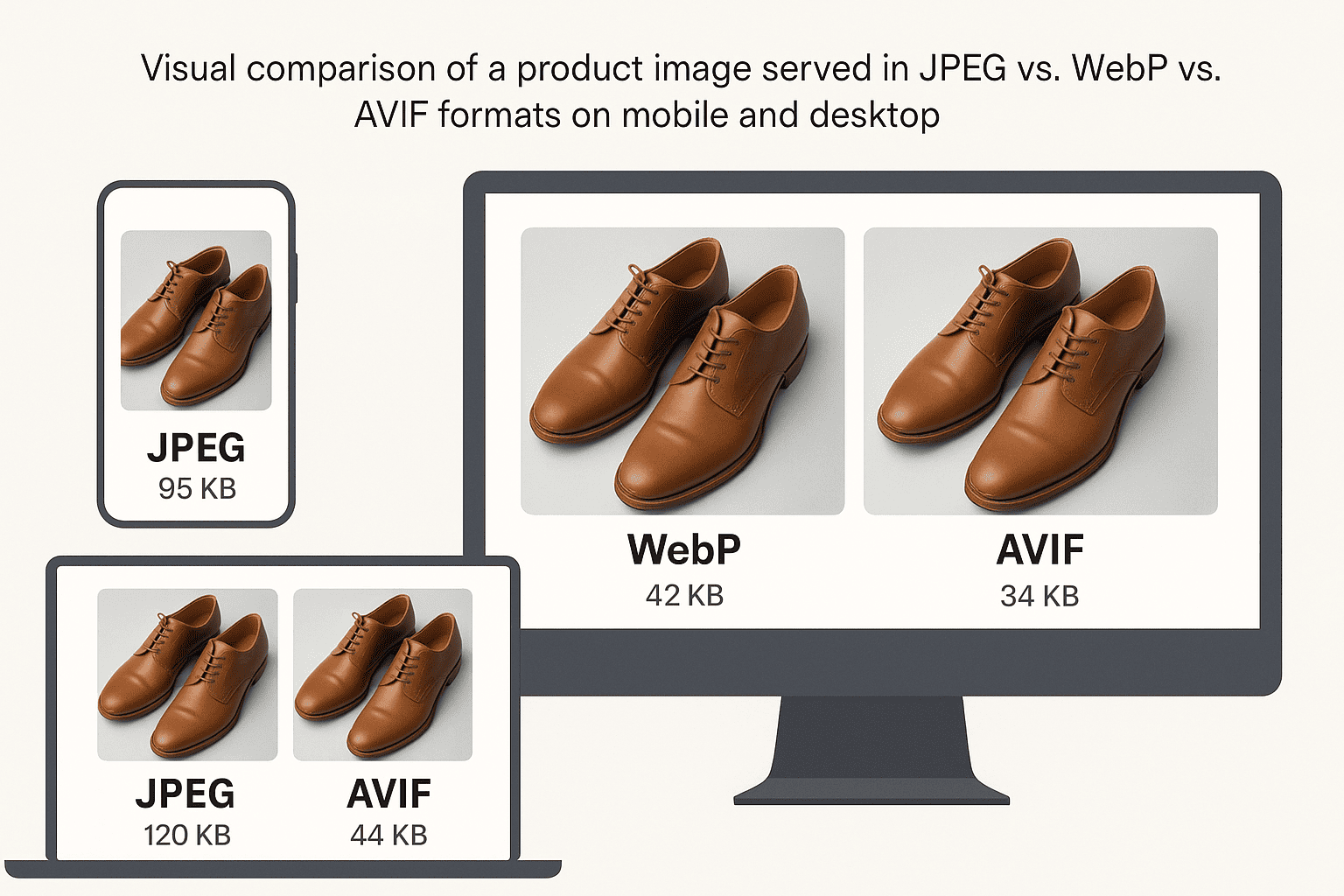
- Compress and optimize images to reduce file size without losing quality.
- Minify CSS and JavaScript by cleaning up unnecessary code.
- Enable browser caching so returning visitors load your site faster.
- Use Content Delivery Networks (CDNs) to serve your content from servers closer to your users.
These steps can make your website load faster, keeping visitors happy and helping your site perform better in search results.
Case Studies
Now that you understand why website architecture is important and how to structure it correctly, let’s explore a real-world example that shows how good site architecture can boost SEO:
Hotstar's SEO Strategy for Large-Scale Site Architecture
Hotstar, one of India's premier streaming platforms, faced significant challenges in optimizing its site architecture to handle millions of pages effectively. The platform's extensive content library, including live sports, TV shows, and movies across multiple languages, necessitated a solid SEO strategy to enhance visibility and user experience.
Despite its popularity, Hotstar faced significant SEO challenges, one of them is Crawling Issues. Because Hotstar's website was built using Angular.js which led to major crawling issues for search engines. This hindered the proper indexing of their vast content.
On top of it, the company has limited content for Non-Brand queries. The platform aimed to rank for non-branded queries related to live streaming and sports scores but had limited content targeting these high-volume search terms.
Users also reported loading issues, negatively impacting the overall user experience and engagement.
To tackle SEO challenges, Hotstar introduced several smart solutions:
- Prerendering: Hotstar used tools like Prerender.io to solve crawling problems. This involved creating pre-rendered HTML versions of pages so search engines could easily access and index the content.
- Content Expansion: They added dedicated pages for popular searches, like match schedules, team profiles, and player details, to attract more traffic.
- Dynamic Meta Tags and Titles: Hotstar used dynamic meta tags and page titles for videos, making it easier for search engines to index pages and improve their search visibility.
- Schema Markup: By adding schema tags like ratings and publication dates, they made search results more engaging with rich snippets, providing users with detailed and attractive previews.
Hotstar made smart updates that greatly boosted its online visibility and user engagement. It used prerendering to fix issues with search engines crawling its content, making indexing much easier. This change, along with creating specific content pages and adding dynamic meta tags, led to a 40% rise in non-branded clicks and a 46% jump in search rankings.
Schema markup was also added to improve search result quality, increasing click-through rates from 4% to 12% over the year. These efforts helped Hotstar rank better for popular keywords and strengthened its position as a top streaming platform in India.
Source: https://indianmarketers.in/hotstar-case-study
Closing Thoughts
So, when you're building a huge website with tons of pages, it's super important to plan it out well. This way, people can find stuff easily, and search engines like Google can understand your site better. By organizing your content neatly, using clear URLs, and linking pages thoughtfully, you'll make your site user-friendly and help it show up higher in search results. Keep an eye on things and tweak as needed to keep everything running smoothly. Doing all this will not only boost your site's ranking but also make visitors happy.
Website Structure Frequently Asked Questions
How does a flat site architecture help large websites with SEO?
A flat site architecture makes sure all pages are just a few clicks away from the homepage. This helps search engines crawl and index your site faster. It also spreads link value across pages and improves user experience, both of which boost SEO.
What are some ways to handle duplicate content on websites with millions of pages?
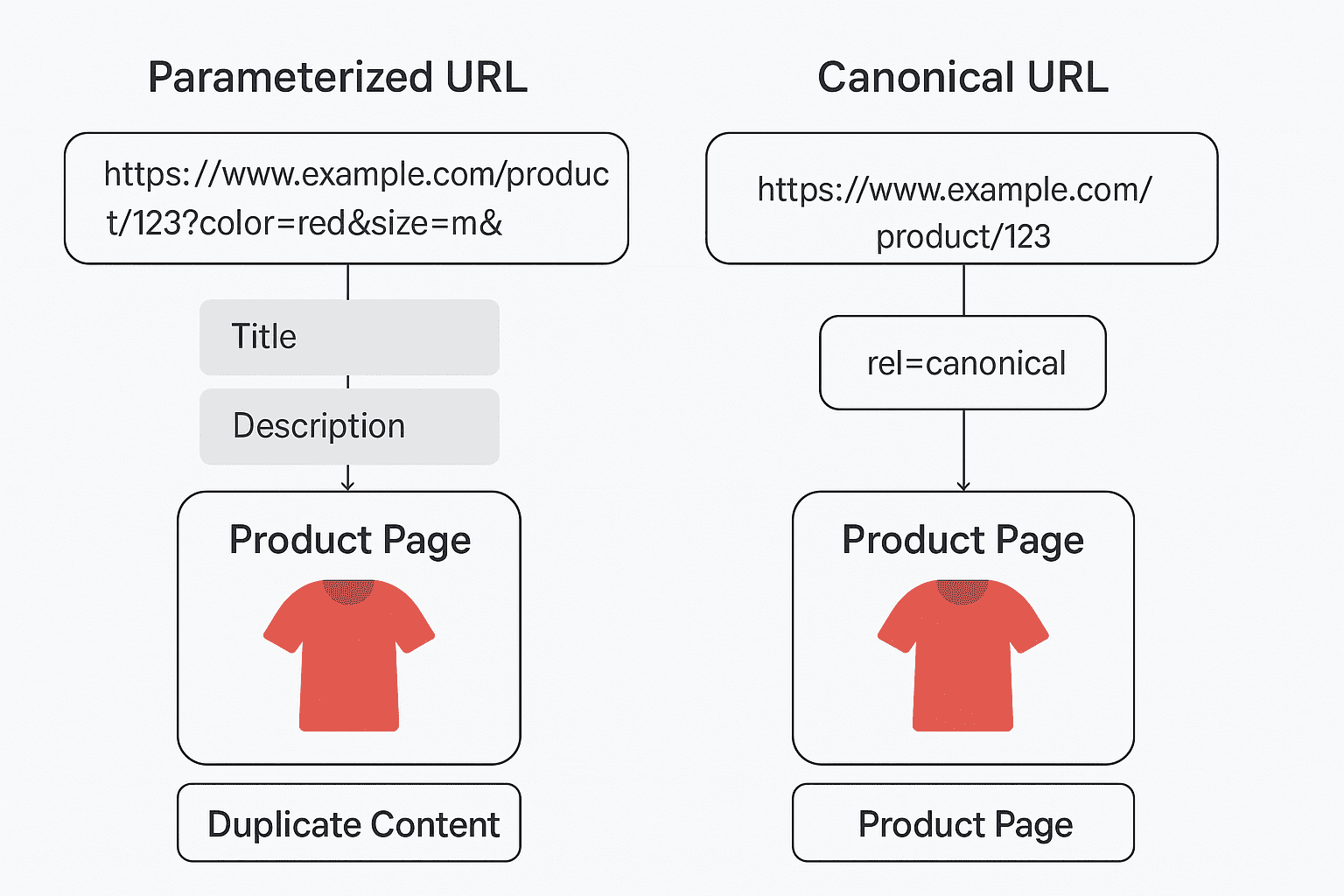
You can manage duplicate content by using canonical tags, setting up 301 redirects, and properly configuring URL parameters. These steps tell search engines which page version to focus on, preventing ranking issues.
How can internal linking improve SEO on a large website?
Create a smart internal linking plan that connects related content and gives high-priority pages enough links. This spreads link authority and helps search engines see your site's topics clearly.
Why is URL structure important for SEO on big websites, and how can it be improved?
A clear, consistent URL structure helps search engines understand your site’s layout. Keep URLs short, include useful keywords, and use a logical format to improve SEO and make pages easier to find.
How can you manage the crawl budget for websites with millions of pages?
Focus on quality content, use robots.txt to block unnecessary or low-value pages, and keep your URL structure clean. These steps help search engines spend their time on your most important pages.