
Skip to content
1See where you stand
AI BeaconYour brand across 7 AI engines and Google AI Rank TrackerGoogle and Bing positions, by country Keyword Explorer87M+ keywords with volume and intent BacklinksEvery linking domain, scored from 0 to 100
2Fix what holds you back
Technical SuiteCrawl your site and find what's broken AutoFixPart of Technical Suite. Fixes applied on your live site. Content StudioContent in your brand voice, ready to publish
3Measure the uplift
Web AnalyticsVisits from search and AI, in one view Reports & DashboardsCustom dashboards and scheduled reports
On top of every engine
Ask SEORCEBetaYour AI agent. Ask about your project in the app or on WhatsApp.
Free to use
Browser extension Free tools API reference
Every engine reads the same project data.See the full platform →
By team
EnterpriseMany sites and markets, one method Global brandsYour brand in search and AI answers AgenciesA project for each client, priced per project ConsultantsRun client work from one account E-commerceProduct and category pages buyers can find D2C brandsVisibility for brands that sell direct B2B & SaaSBe there while buyers research
By industry
Automotive Baby & kids Beauty Consumer electronics Education Energy & utilities Fashion Financial services FMCG Food & beverage Health & wellness Healthcare Home & furniture Insurance IT services Legal Logistics Luxury Manufacturing Marketplaces Media & publishing Multi-location brands Pharma Professional services Real estate Sports & entertainment Telecom Travel & hospitality
A project for each site or market.See all solutions →
Learn
BlogGuides and notes from our team FeedAI and SEO news, as it moves The GEO guideGenerative engine optimisation, start to finish
Get the job done
Use casesHow to get a job done, topic by topic PlaybooksWhat to do when things change
AI visibility tracking Automated technical SEO Recover from a traffic drop Prove SEO ROI to leadership
Free resources
Free toolsSchema and content brief generators, and more Browser extensionFor Chrome, Edge and Firefox. Audits the page you're on, free.
Help and updates
Docs API API reference Changelog
Enterprise
Pricing
Log in Book a demo Start free
Platform
See where you stand
AI Beacon Rank Tracker Keyword Explorer Backlinks
Fix what holds you back
Technical Suite AutoFix (in Technical Suite) Content Studio
Measure the uplift
Web Analytics Reports & Dashboards
On top of every engine
Ask SEORCE (beta)
Free to use
Browser extension Free tools See the full platform →
Solutions
By team
Enterprise Global brands Agencies Consultants E-commerce D2C brands B2B & SaaS
By industry
Automotive Baby & kids Beauty Consumer electronics Education Energy & utilities Fashion Financial services FMCG Food & beverage Health & wellness Healthcare Home & furniture Insurance IT services Legal Logistics Luxury Manufacturing Marketplaces Media & publishing Multi-location brands Pharma Professional services Real estate Sports & entertainment Telecom Travel & hospitality See all solutions →
Resources
Learn
Blog Feed: AI and SEO news The GEO guide
Get the job done
Use cases Playbooks AI visibility tracking Automated technical SEO Recover from a traffic drop Prove SEO ROI to leadership
Free resources
Free tools Browser extension
Help and updates
Docs API API reference Changelog
Company
About us Careers Contact Partners Alternatives Comparisons SEORCEBot, our crawler Legal
Enterprise Pricing
Book a demo Start free Have an account? Log in
Theme
SEORCE. The source. An AI-native SEO and GEO platform for mid-market and enterprise brands, and the agencies that serve them.
#1 on Product Hunt
NVIDIA Inception member
Platform
  • AI Beacon
  • Keyword Explorer
  • Content Studio
  • Technical Suite
  • Backlinks
  • Rank Tracker
  • Web Analytics
  • Reports & Dashboards
  • Ask SEORCE · beta
  • SEORCE MCP · new
Solutions
  • For B2B & SaaS
  • For e-commerce & D2C
  • For agencies
  • For global brands
  • For enterprise
  • All industries
Learn
  • Use cases
  • Playbooks
  • Blog
  • Feed
  • Browser extension
  • Free tools
  • Docs
  • API
  • API reference
  • Changelog
Company
  • Pricing
  • Alternatives
  • Comparisons
  • Partners
  • About us
  • Careers
  • Contact
  • SEORCEBot
  • Book a demo
  • Legal
© 2026 SEORCE, Inc. · Delaware, US · All rights reserved
Privacy Terms Cookies Billing & refunds

Cookies on seorce.com

We use cookies the site needs to work. With your permission we would also like to use analytics cookies to see how the site is used, and marketing cookies to measure our ads. You can change your choice at any time from Cookie preferences at the foot of every page. Read the cookie policy.

Your browser is sending a Global Privacy Control signal, so marketing cookies stay off.

Strictly necessaryRemember your theme and this choice. Always on.
On
Published Nov 12, 2026•by SEORCE Editorial, Search and marketing desk

Apple AI usage packs add paid capacity to Logic Pro

Logic Pro is first, with Apple's $49.99 one-time pack and broader Creator Studio rollout expected in November.

Add as a preferred source on Google

TL;DR

  • Apple now sells a $49.99 Intelligence Usage Pack in Logic Pro after setting usage limits for some Apple Intelligence features.
  • Apple's terms list Pages, Keynote, Numbers, Final Cut Pro, Compressor, Logic Pro, MainStage, Pixelmator Pro, Motion and Freeform.
  • Apple Support says some Creator Studio features use OpenAI or Google Cloud, and monthly limits reset each month.
  • Content teams should check Show Usage Status before relying on Apple Creator Studio for production workflows.
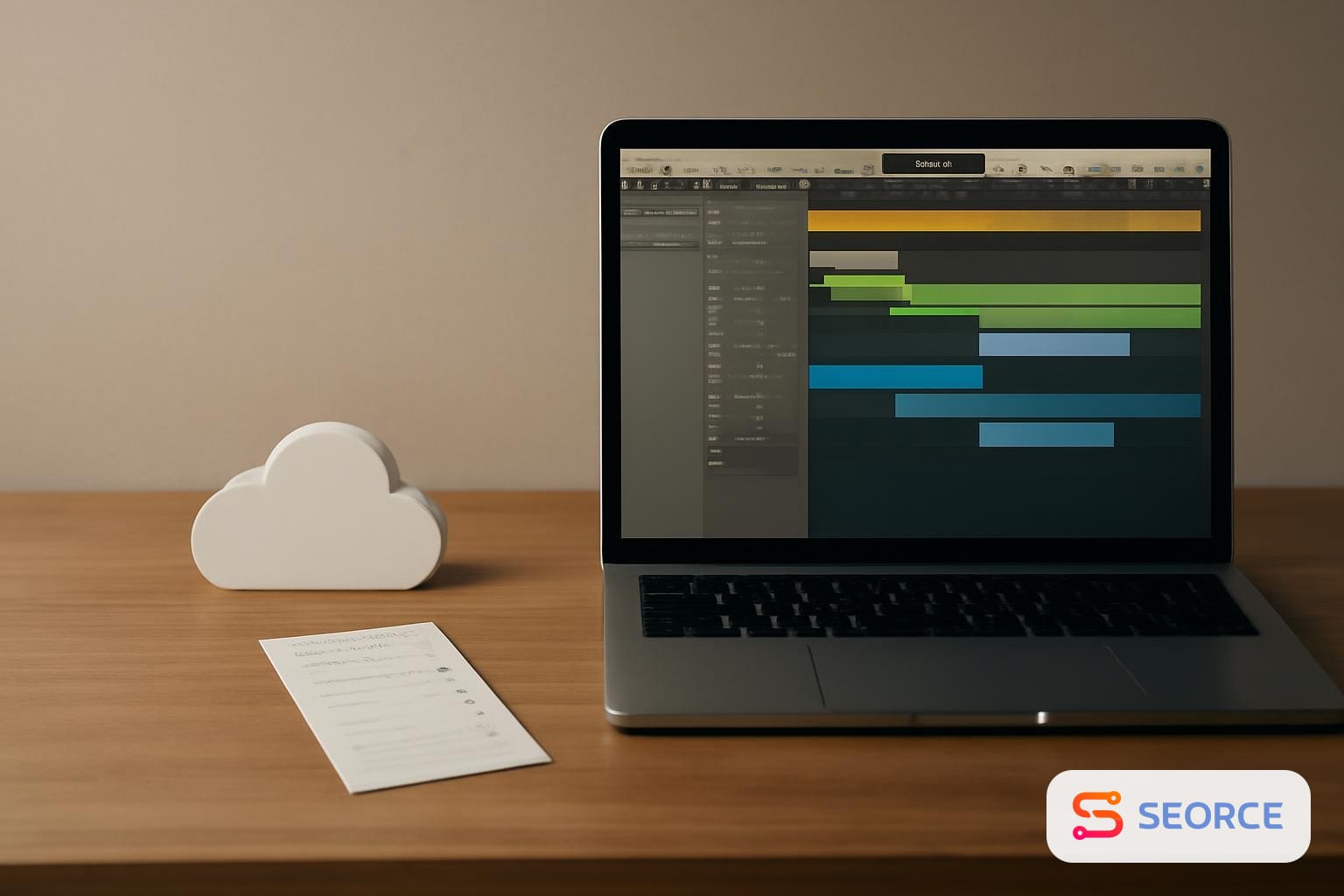
Mac laptop with music production timeline, cloud icon, and payment receipt on desk.

Apple AI usage packs are $49.99 one-time purchases that extend capped cloud-based intelligence features in Logic Pro, with Final Cut Pro, Pixelmator Pro, Pages, Keynote, Numbers and Freeform listed in Apple's terms for the program. The change means Apple is no longer treating every Apple Intelligence feature in its creator apps as unlimited after purchase or subscription.

The Verge reported on November 9, 2026, that Apple updated Logic Pro with a Buy More Usage option after publishing a September support article on usage limits. Apple Support published Apple Intelligence Usage Terms on September 12, 2026, and a Creator Studio intelligence features page on September 29, 2026. ZDNet reported on November 10, 2026, that users can buy a pack for Logic Pro now and that other Creator Studio apps are expected to get the option soon.

How Apple AI usage packs work

Apple's own terms define Usage Packs as prepaid access to certain AI-based services, sold as a single, non-recurring one-time purchase that does not renew. Apple says the packs are governed by the Apple Creator Studio Terms and Apple Media Services Terms, and the amount of usage consumed can vary by app, feature, output complexity, output nature and demand on underlying systems.

Apple AI usage packs do not buy the app itself. They buy additional capacity for specific AI-based services after a user reaches a limit, and Apple's terms say the amount required can change over time or across apps based on the feature and the output.

The Verge reported that the Logic Pro pack costs $49.99, applies only to the Apple Account that purchased it and is not supported through Family Sharing. The same report says unused additional usage rolls over month to month but expires 12 months after purchase. Apple says in its September 12 usage terms that if a user reaches a limit for a feature, that feature may become unavailable or limited until the usage limit resets.

Which apps and features are covered

Apple's legal terms list Pages, Keynote, Numbers, Final Cut Pro, Compressor, Logic Pro, MainStage, Pixelmator Pro, Motion, Freeform and other apps made available through Apple Creator Studio as AI Apps. That is broader than the purchase flow currently reported in Logic Pro. The Verge says Logic Pro is the first app with the Buy More Usage option, while ZDNet says other apps are expected to get the option soon.

Apple Support says Creator Studio subscribers get intelligence features in Keynote, Pages, Numbers, Freeform and Pixelmator Pro. The same September 29 support page says Generate Presentation is powered by OpenAI, while Generate Image, Generate Shape and Generate Presenter Notes are powered by Google Cloud. Apple also gives minimum monthly usage figures if one feature is used exclusively: 50 images, 250 shapes, 50 presentations of about 8 to 10 slides each, or presenter notes for 700 slides.

The usage cap is feature-specific rather than a single public token allowance. Apple publishes example monthly minimums for images, shapes, presentations and presenter notes, but it also reserves the right to change limits and pack consumption based on feature, complexity and system demand.

Why the limits appear in Logic Pro

Logic Pro's AI assistant uses cloud-based models for at least some work, and Apple says usage is affected by conversation complexity. The Verge describes the assistant as a feature that can start a new song, set up a vocal track from a prompt or refine an active project. That kind of assistant can consume more server capacity than a fixed, single-output feature because the prompt, project state and follow-up conversation can change the request size.

A practitioner report on r/Logic_Studio gives one view of why the assistant may be expensive to run, but it is not authoritative. The poster said Logic's AI Assistant sent Gemini roughly 72,000 tokens of context per request, including about 32,000 tokens of Interface API documentation, and said a local proof of concept reduced a simple software instrument track request to roughly 3,000 tokens using relevant API material with Qwen on oMLX. The same poster said local inference took 2.9 seconds on an M5 Pro, but also said the proof of concept still needed an Apple Creator Studio subscription because the perpetual Logic license binary did not include the AI assistant code.

Where the evidence is still thin

The public evidence does not show the exact formula Apple uses to convert a Logic Pro assistant request into consumed usage. Apple has not published per-request token counts, the number of assistant conversations included each month, or whether OpenAI, Google Gemini, Google Cloud and Apple's own models carry different pack costs inside Logic Pro. The r/Logic_Studio post points to possible context bloat, but it is one implementation report from a user, not Apple documentation.

The sources also differ in how directly they describe rollout timing. The Verge says only Logic Pro currently has the buy-more option and expects Pixelmator Pro, Final Cut Pro, Motion, Pages, Keynote and Numbers to get it this month. ZDNet writes that Apple is introducing the one-time purchase option via app updates to Creator Studio and says users can buy a pack for Logic Pro now. Apple's terms list the broader app set, but the terms do not state that every listed app already shows the purchase button.

What content teams should check

Marketing and search teams should treat Apple's limits as production capacity limits, not ranking factors. There is no evidence that Apple AI usage packs change Google rankings, AI answer citations or how search engines evaluate generated assets. The practical connection is workflow risk: if a team uses Pages for drafts, Keynote for client decks, Pixelmator Pro for images or Final Cut Pro for video, a monthly limit can interrupt production before publication or campaign delivery.

CheckWhere to lookWhy it matters
Usage status on MacOpen the app menu bar, choose Intelligence Features, then Show Usage Status.Confirms whether a Creator Studio workflow is close to a monthly limit.
Usage status on iPhone or iPadTap More, then Intelligence Features, then Show Usage Status.Shows whether mobile creation workflows have remaining AI capacity.
Feature dependencyMap Generate Image, Generate Shape, Generate Presentation and presenter notes in your production process.Identifies which campaign assets rely on OpenAI or Google Cloud-backed features.
Account ownershipCheck which Apple Account bought the pack.The Verge reports Family Sharing is not supported for the purchase.

Teams that expense AI tools should also separate app access from usage access. Apple Support says Final Cut Pro, Motion, Compressor, Logic Pro, MainStage and Pixelmator Pro are also available as one-time purchases for Mac on the App Store, while Apple Creator Studio versions of Pages, Keynote, Numbers and Freeform include intelligence features. A license to the app does not establish unlimited access to the AI service behind a feature.

The next trigger is the November 2026 rollout beyond Logic Pro. Watch the Intelligence Features menu in Final Cut Pro, Motion, Pixelmator Pro, Pages, Keynote and Numbers for Show Usage Status and Buy More Usage, because Apple's terms already name those apps and the news coverage says the wider purchase option is expected this month.

See more SEORCE in your Google results

Add us as a preferred source to see more of our stories in Google's Top Stories.

Add as a preferred source on Google

FAQ

How much does Apple AI usage pack cost?

The reported price for the Logic Pro Intelligence Usage Pack is $49.99. The Verge reported that price on November 9, 2026, for the Buy More Usage option in Logic Pro. Apple's public terms describe Usage Packs as one-time purchases, but the evidence here does not show a separate price for every Creator Studio app.

Do Apple Intelligence Usage Packs renew every month?

Apple says Usage Packs may be sold as non-recurring one-time purchases. They do not renew like a subscription under Apple's terms. The Verge reported that unused additional usage can roll over month to month, but expires 12 months after purchase.

Which Apple apps use Intelligence Usage Packs?

Apple's terms list Pages, Keynote, Numbers, Final Cut Pro, Compressor, Logic Pro, MainStage, Pixelmator Pro, Motion and Freeform. That list is broader than current reported availability. The Verge reported Logic Pro is the first app with the Buy More Usage option, with other apps expected later in November 2026.

Are Apple Creator Studio AI features powered by ChatGPT?

Apple Support says Generate Presentation is powered by OpenAI, while several other Creator Studio features use Google Cloud. Apple also says the Creator Studio features do not integrate with a user's ChatGPT account. That means the feature can use OpenAI technology without using the customer's own ChatGPT subscription.

How do I check Apple Intelligence usage?

On a Mac, open the app's menu bar, choose Intelligence Features, then Show Usage Status. On iPhone or iPad, Apple says to tap More, then Intelligence Features, then Show Usage Status. The setting is the control point teams should check before relying on a feature for production work.

Entities

AppleLogic ProApple Creator StudioFinal Cut ProPixelmator ProPagesKeynoteNumbers

Tags

Apple AILogic ProUsage PacksApple IntelligenceCreator StudioFinal Cut ProPixelmator Pro

Topics

Artificial IntelligenceBusiness

Sources

INTELLIGENCE USAGE PACKS TERMS AND CONDITIONS
Apple
About the intelligence features in Apple Creator Studio
Apple Support
Apple Intelligence Usage Terms
Apple Support
About Apple Creator Studio
Apple Support
Apple’s $50 Intelligence Usage Packs extend access to some AI features
The Verge

More like this