Skip to content
1See where you stand
AI BeaconYour brand across 7 AI engines and Google AI Rank TrackerGoogle and Bing positions, by country Keyword Explorer87M+ keywords with volume and intent BacklinksEvery linking domain, scored from 0 to 100
2Fix what holds you back
Technical SuiteCrawl your site and find what's broken AutoFixPart of Technical Suite. Fixes applied on your live site. Content StudioContent in your brand voice, ready to publish
3Measure the uplift
Web AnalyticsVisits from search and AI, in one view Reports & DashboardsCustom dashboards and scheduled reports
On top of every engine
Ask SEORCEBetaYour AI agent. Ask about your project in the app or on WhatsApp.
Free to use
Browser extension Free tools API reference
Every engine reads the same project data.See the full platform →
By team
EnterpriseMany sites and markets, one method Global brandsYour brand in search and AI answers AgenciesA project for each client, priced per project ConsultantsRun client work from one account E-commerceProduct and category pages buyers can find D2C brandsVisibility for brands that sell direct B2B & SaaSBe there while buyers research
By industry
Automotive Baby & kids Beauty Consumer electronics Education Energy & utilities Fashion Financial services FMCG Food & beverage Health & wellness Healthcare Home & furniture Insurance IT services Legal Logistics Luxury Manufacturing Marketplaces Media & publishing Multi-location brands Pharma Professional services Real estate Sports & entertainment Telecom Travel & hospitality
A project for each site or market.See all solutions →
Learn
BlogGuides and notes from our team FeedAI and SEO news, as it moves The GEO guideGenerative engine optimisation, start to finish
Get the job done
Use casesHow to get a job done, topic by topic PlaybooksWhat to do when things change
AI visibility tracking Automated technical SEO Recover from a traffic drop Prove SEO ROI to leadership
Free resources
Free toolsSchema and content brief generators, and more Browser extensionFor Chrome, Edge and Firefox. Audits the page you're on, free.
Help and updates
Docs API API reference Changelog
Enterprise
Pricing
Log in Book a demo Start free
Platform
See where you stand
AI Beacon Rank Tracker Keyword Explorer Backlinks
Fix what holds you back
Technical Suite AutoFix (in Technical Suite) Content Studio
Measure the uplift
Web Analytics Reports & Dashboards
On top of every engine
Ask SEORCE (beta)
Free to use
Browser extension Free tools See the full platform →
Solutions
By team
Enterprise Global brands Agencies Consultants E-commerce D2C brands B2B & SaaS
By industry
Automotive Baby & kids Beauty Consumer electronics Education Energy & utilities Fashion Financial services FMCG Food & beverage Health & wellness Healthcare Home & furniture Insurance IT services Legal Logistics Luxury Manufacturing Marketplaces Media & publishing Multi-location brands Pharma Professional services Real estate Sports & entertainment Telecom Travel & hospitality See all solutions →
Resources
Learn
Blog Feed: AI and SEO news The GEO guide
Get the job done
Use cases Playbooks AI visibility tracking Automated technical SEO Recover from a traffic drop Prove SEO ROI to leadership
Free resources
Free tools Browser extension
Help and updates
Docs API API reference Changelog
Company
About us Careers Contact Partners Alternatives Comparisons SEORCEBot, our crawler Legal
Enterprise Pricing
Book a demo Start free Have an account? Log in
Theme
SEORCE. The source. An AI-native SEO and GEO platform for mid-market and enterprise brands, and the agencies that serve them.
#1 on Product Hunt
NVIDIA Inception member
Platform
  • AI Beacon
  • Keyword Explorer
  • Content Studio
  • Technical Suite
  • Backlinks
  • Rank Tracker
  • Web Analytics
  • Reports & Dashboards
  • Ask SEORCE · beta
Solutions
  • For B2B & SaaS
  • For e-commerce & D2C
  • For agencies
  • For global brands
  • For enterprise
  • All industries
Learn
  • Use cases
  • Playbooks
  • Blog
  • Feed
  • Browser extension
  • Free tools
  • Docs
  • API
  • API reference
  • Changelog
Company
  • Pricing
  • Alternatives
  • Comparisons
  • Partners
  • About us
  • Careers
  • Contact
  • SEORCEBot
  • Book a demo
  • Legal
© 2026 SEORCE, Inc. · Delaware, US · All rights reserved
Privacy Terms Cookies Billing & refunds

Cookies on seorce.com

We use cookies the site needs to work. With your permission we would also like to use analytics cookies to see how the site is used, and marketing cookies to measure our ads. You can change your choice at any time from Cookie preferences at the foot of every page. Read the cookie policy.

Your browser is sending a Global Privacy Control signal, so marketing cookies stay off.

Strictly necessaryRemember your theme and this choice. Always on.
On
Published Oct 14, 2026•by SEORCE Editorial, Search and marketing desk

Google Maps restaurant features add Ask Maps ordering and dining lists

Google published the update on October 8, 2026, alongside Ask Maps ordering rollout details and weekly Explore lists.

Add as a preferred source on Google

TL;DR

  • Google named three Maps restaurant tools on October 8: Ask Maps ordering, weekly Explore lists, and Know Before You Go tips.
  • Ask Maps uses photos, reviews, and menus, then sends delivery orders through Uber Eats, Toast, and Square.
  • ZDNet counted four Google Maps dining aids because it separated the Fan-Favorite Dining List from the three tools Google named.
  • Restaurant operators should audit dish names, menus, photos, review themes, parking details, and ordering paths inside Google Maps.
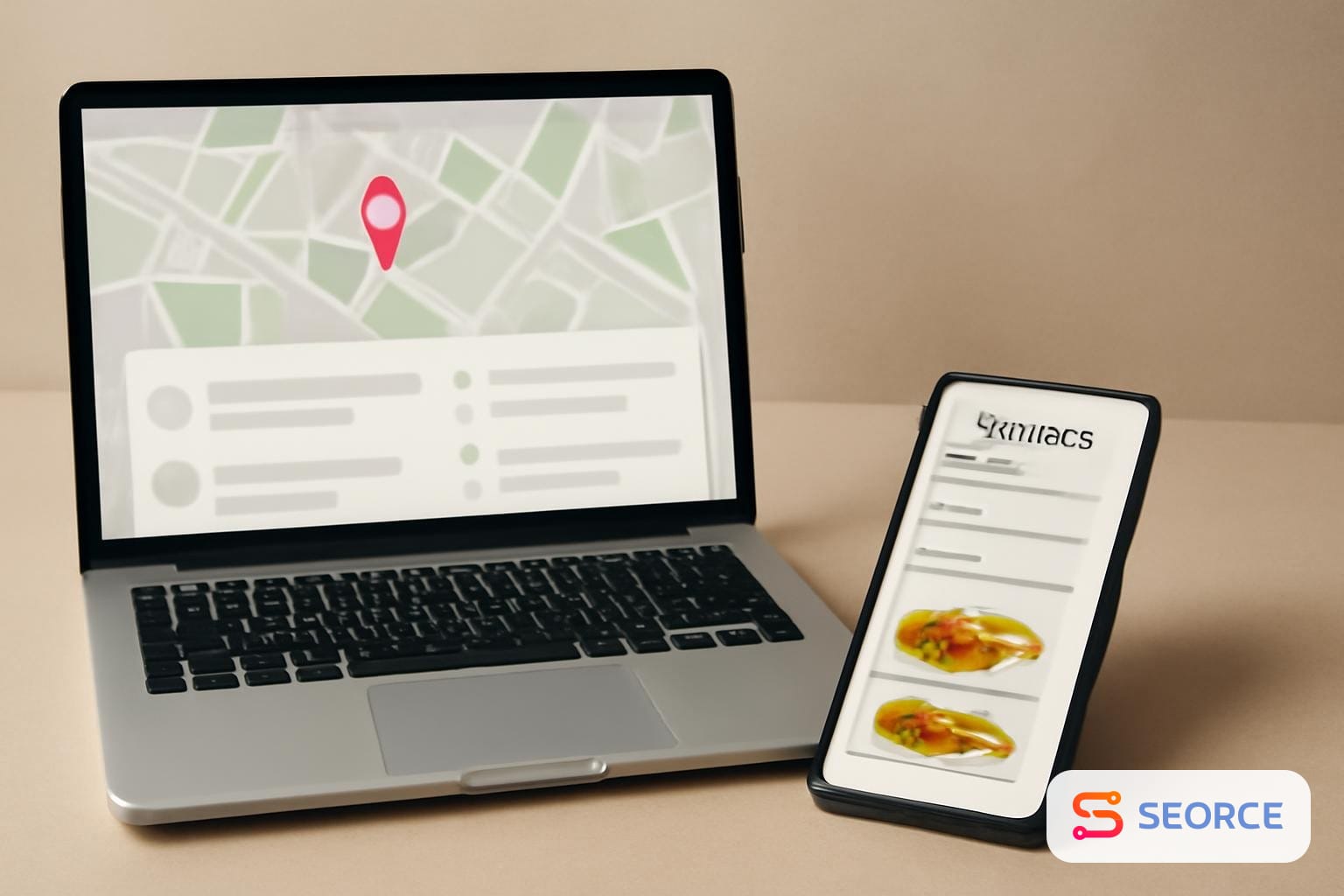
Laptop and smartphone showing restaurant search results, delivery options, and a neighborhood dining list.

Google Maps restaurant features now let users ask for specific meals, browse weekly dining lists, and read practical visit tips, with food ordering tied to Uber Eats, Toast, and Square.

Google published the three-feature restaurant post on October 8, 2026, and its earlier Ask Maps ordering announcement ran on August 6, 2026. ZDNet covered the October 8 update the same day and framed it as four ways Google Maps can help users choose and order food, because it separated Google's Fan-Favorite Dining List from the other dining tools.

What Google Maps restaurant features changed

Google changed the restaurant discovery flow inside Maps by putting search, evaluation, and ordering closer together in one app. Google's own October 8 post names three tools: Ask Maps for conversational food search and ordering, Explore dining lists that update weekly, and Know Before You Go tips drawn from the Maps community.

Explore now includes three dining lists in Google's description: Trending for places that recently spiked in popularity, Gems for newer neighborhood favorites, and Top for established places. Know Before You Go can surface information on reservations, parking, and dishes to order. ZDNet also reported that Google revealed its first Fan-Favorite Dining List across 10 cities: Atlanta, Chicago, London, Melbourne, Montreal, New York, San Francisco, Santiago, Seattle, and Tokyo.

How Ask Maps picks and orders food

Ask Maps picks food by reading Google's Maps corpus and matching a user's natural-language request to restaurants, dishes, and order partners. Google's October 8 post says Ask Maps analyzes billions of photos, reviews, and menus, then supports delivery through Uber Eats, Toast, and Square.

Ask Maps changes the local food search step from category matching to request matching. A user can describe a craving, seating need, route constraint, saved place, or dietary requirement, and Google says the system can identify an open restaurant, select a dish, and add it to a cart for review and checkout.

Google's August 6 announcement gives the mechanism in more detail than the October post. It says food ordering in Ask Maps can handle multi-step takeout requests, find open restaurants along a route, consider saved places or dietary needs, and add a selected dish to the cart before the user reviews and checks out. In August, Google said Square and Toast were part of the rollout and Uber Eats was coming soon; by October 8, Google's restaurant post and ZDNet both described Uber Eats as part of the supported ordering set.

Where sources and users differ

The sources differ on packaging, and the user evidence shows Maps still shares restaurant discovery with local habits. Google's primary October 8 post frames the update as three Google Maps tools, while ZDNet counted four by treating the Fan-Favorite Dining List as its own item alongside ordering, Explore, and Know Before You Go.

The evidence is also thin on how Google ranks restaurants inside Ask Maps or the weekly Explore lists. Google names the inputs it analyzes, but it does not give weighting for photos, reviews, menus, recency, saved places, or order partner availability. ZDNet reported trend examples from Google's list, including a 216 percent increase in trending interest for cheeseburgers in Tokyo during the past year, but the supplied evidence does not include Google's full methodology for that measurement.

Practitioner signal from r/TokyoTravel on October 14, 2026 points in a different direction: travelers still mix Maps with Tabelog, word of mouth, and walk-ins. In the five top comments supplied, three mentioned Tabelog, four described random walk-ins, menus outside restaurants, stumbling upon places, or recommendations, and one said they used Google when looking for something specific. That Reddit thread is not authority on market share, but it shows why Maps features do not erase local discovery behavior in a city such as Tokyo.

What local search teams should check

Local search teams should audit the inputs Google names directly: photos, reviews, menus, dish information, reservation details, parking information, and ordering paths. The work is specific because Ask Maps and Know Before You Go use those assets to answer practical dining requests, not only to display a star rating.

Google Maps areaWhat to checkWhy it matters
Ask MapsSearch exact dish names, dietary terms, seating needs, and route-based requests in Maps.Google says Ask Maps can match conversational food requests to restaurants and dishes.
MenusCheck whether high-demand dishes and modifiers appear clearly in the menu data users see.Google says Ask Maps analyzes menus along with photos and reviews.
PhotosReview whether recent images show dishes, seating, entrance, and useful context.Google says photos are part of the corpus Ask Maps analyzes.
ReviewsRead review themes for parking, reservations, price, service, and named dishes.Know Before You Go can surface community tips from Maps users.
OrderingTest whether Uber Eats, Toast, or Square ordering appears where the restaurant expects it.Google names those partners for Ask Maps delivery support.

The practical audit is a Maps audit, not a generic SEO checklist. Search a restaurant by dish, neighborhood, dietary need, parking concern, and delivery intent, then compare the answer against the visible menu, recent photos, review language, and ordering partner shown to the user.

What this means for search visibility

The search visibility effect is inside Google Maps first, with a likely spillover into AI answers where Maps data supplies citations or grounding. That is an inference from Google's stated mechanism: if Ask Maps analyzes photos, reviews, and menus, then the information a restaurant exposes in those assets can affect whether it appears for a specific meal request or practical visit question.

This does not prove a change in Google Search web rankings or Google Ads bidding. The supplied evidence concerns Google Maps, Ask Maps, Explore lists, and food ordering partners, so teams should not report it as a confirmed organic ranking update. The defensible connection is narrower: local content that once helped users after they opened a listing can now help Google answer the request that selects the listing.

The rollout trigger to watch is availability, not another announcement headline. Google said on August 6 that food ordering, hotel and event discovery, and conversational contributions were rolling out in the United States, with more countries to come over time, while Ask Maps was also rolling out in Australia, Brazil, Canada, Indonesia, Japan, Mexico, and more than 150 countries and territories in English. Check when Ask Maps ordering and the three weekly Explore lists appear in the markets you manage.

See more SEORCE in your Google results

Add us as a preferred source to see more of our stories in Google's Top Stories.

Add as a preferred source on Google

FAQ

What are the new Google Maps restaurant features?

Google names Ask Maps ordering, Explore dining lists, and Know Before You Go tips as the restaurant features. Ask Maps handles conversational food requests, Explore shows weekly lists such as Trending, Gems, and Top, and Know Before You Go surfaces practical community information before a visit.

Does Ask Maps order food for users?

Ask Maps can add a selected dish to a cart for user review and checkout. Google says the food ordering flow supports partners including Uber Eats, Toast, and Square, but the user still reviews the cart and completes the checkout step.

How often do Google Maps dining lists update?

Google says the Explore tab's dining lists update weekly. The named list types are Trending, Gems, and Top, which separate recent popularity spikes, newer neighborhood favorites, and established restaurants inside Google Maps.

Is Ask Maps food ordering available outside the US?

Google described food ordering as a United States rollout in its August 6 announcement. The broader Ask Maps experience was also rolling out in Australia, Brazil, Canada, Indonesia, Japan, Mexico, and more than 150 countries and territories in English.

Why did some reports say four Google Maps dining features?

ZDNet counted four because it separated Google's Fan-Favorite Dining List from the three Maps tools. Google's own October 8 restaurant post framed the guidance as three tools: Ask Maps, Explore dining lists, and Know Before You Go tips.

Entities

Google MapsAsk MapsUber EatsToastSquareExploreKnow Before You Go

Tags

Google MapsRestaurant FeaturesAsk MapsFood OrderingDining ListsLocal SEO

Topics

SEOBusiness

Sources

3 Google Maps tools to find the food you’re craving
Google Blog
Ask Maps gets more helpful with food ordering and more
Google Blog
Yelp, who? 4 ways Google Maps can help you find your next meal – and order it
ZDNet
How did you find the restaurants you actually ate at in Tokyo?
r/TokyoTravel

More like this