Ranking on Google isn’t just about writing good content. Your website’s technical foundation matters just as much.
If search engines cannot properly crawl, index, or understand your pages, even great content may struggle to appear in search results.
For example, you might publish a useful guide, but a slow loading page or broken internal links can stop search engines from processing it correctly. The content is there, but it remains hidden from your audience.
This is where technical SEO suites become important.
These tools help you identify site issues, monitor performance, and fix problems that affect your visibility in search.
But which tools are actually worth using in 2026? Let’s find the answer in this guide.
What Makes a Great Technical Suite in 2026?
A technical suite is not just a collection of tools. It is a central platform that helps you manage workflows, automate tasks, and make smarter decisions faster.
In fact, 66% of companies already use automation in at least one business process. This shows how essential integrated technical platforms have become for modern operations.
Here are the key things you should look for in a technical suite:
1. Scalability
Your tools should grow with you. A strong technical suite must handle larger teams, more data, and complex workflows without slowing down.
2. Automation
You should not waste time on repetitive tasks. A good suite automates routine processes so your team can focus on strategy and innovation. Automation tools can streamline workflows and reduce manual work across departments.
3. AI-Powered Insights
Modern suites use AI to analyze data and recommend actions. This helps you spot opportunities, fix issues quickly, and make better technical decisions.
4. Easy Integrations
Your platform should connect smoothly with other tools you already use. Integration ensures data flows across systems without manual effort.
5. Security and Reliability
You need tools that protect sensitive data and run without interruptions. Strong security, compliance, and uptime are essential.
6. Clear Dashboards and Reporting
A great suite shows everything in one place. Simple dashboards and real-time reports help you understand performance quickly.
7. Customization
Every team works differently. The best suites allow you to customize workflows, reports, and automation to match your needs.
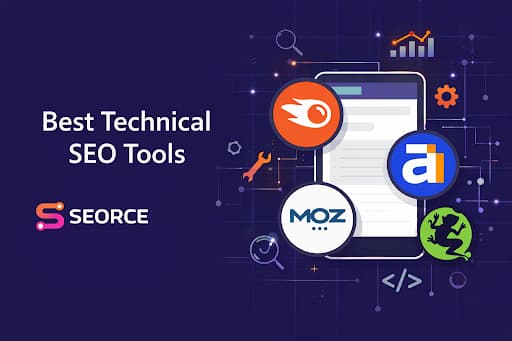
Top 10 Technical Suite in 2026
So which platforms are truly worth your attention this year? Let’s walk through the Top 10 Technical Suites in 2026 and see what makes each one stand out.
Tool | Main focus | Best for |
Seorce Technical Suite | AI-powered technical SEO, audits, crawling, AI visibility tracking | Enterprise SEO teams, in-house teams, technical SEOs |
Semrush SEO Classic | Site audits, keyword research, tracking, all-in-one SEO workflow | Agencies, SEO pros, in-house marketers |
Ahrefs Webmaster Tools | Free site audits, backlink data, SEO health monitoring | Site owners, publishers, teams needing free technical SEO tools |
Screaming Frog SEO Spider | Deep desktop crawling and technical SEO audits | Technical SEO specialists, developers, agencies |
Google Search Console | Google search performance, indexing, crawl visibility | Site owners, content teams, web teams |
Sitebulb Technical SEO Suite | Visual technical audits, crawl insights, JavaScript SEO | Freelancers, agencies, in-house and enterprise teams |
SE Ranking Technical Suite | Website audits, health monitoring, scalable technical SEO tracking | Agencies, SMBs, in-house teams |
Ryte | Technical SEO plus website quality, accessibility, compliance | Growth teams, large websites, quality-focused teams |
Lumar (formerly DeepCrawl) | Enterprise-scale crawling, monitoring, technical reporting | Enterprise brands, large websites, cross-functional teams |
Moz Pro | All-in-one SEO with audits, rank tracking, backlinks, keyword research | Agencies, consultants, growing businesses |
1. Seorce Technical Suite
Trusted by 1,000+ SEO teams globally, Seorce has quickly become a standout name in AI-powered SEO and technical visibility.
Seorce Technical Suite is designed to help you monitor, analyze, and improve your website’s search visibility across both traditional search engines and AI-generated answers.
Instead of juggling multiple SEO tools, you get a single platform that combines technical audits, analytics, and AI visibility tracking.
It works as a central command center for modern SEO. You can crawl your website, detect technical issues, track rankings, and even understand how your brand appears in AI tools like ChatGPT or Gemini. That means you are not just optimizing for Google anymore, but also for AI-driven search experiences.
If you want to simplify your workflow and make data-driven SEO decisions faster, this suite helps you do exactly that.
Key Features it Brings to Your Workflow:
- Technical SEO audits that scale from basic to enterprise-level depth, depending on the plan.
- Page crawling to monitor site health, with crawl limits ranging from 500 pages per month on Free to 1M+ on Enterprise.
- Core Web Vitals tracking so you can catch page experience issues early.
- Schema and structured data checks to help you improve how search engines understand your pages.
- Broken link detection for fixing crawl and user experience problems quickly.
- Auto-Fix Engine for automated technical SEO fixes, with larger fix limits on higher plans.
- AI-powered crawl and index readiness tools aimed at improving technical health for modern search and AI-driven discovery.
Best for:
- Enterprise SEO teams that manage large, complex websites.
- Technical SEO specialists who need deeper crawling and audit insights.
- In-house marketing teams that want one place to monitor technical health and performance.
- Brands with JS-heavy sites that need better visibility into rendering and crawl behavior.
- Teams focused on site performance and indexation rather than just keyword tracking.
Pricing:
Seorce offers transparent SaaS pricing based on scale and usage:
Plan | Price | Pages Crawled / Month | Core Web Vitals | Schema & Structured Data | Broken Link Detection |
Free plan | $0/month (basic tracking for 1 website) | 500 | No | No | Yes |
Starter plan | $99/month | 5,000 | Yes | Yes | Yes |
Growth plan | $249/month | 30,000 | Yes | Yes | Yes |
Pro plan | $499/month | 100,000 | Yes | Yes | Yes |
Agency plan | $999/month | 300,000 | Yes | Yes | Yes |
Enterprise plan | Custom pricing starting around $2000+/month | 1M+ | Yes | Yes | Yes |
Each plan scales with more tracked prompts, keywords, websites, and crawling limits depending on your SEO workload.
2. Semrush SEO Classic
Semrush is one of the most popular SEO platforms in the market, and that is a big reason many businesses trust it for technical SEO work.
Semrush helps you quickly understand what is happening behind the scenes of your website. Its Site Audit tool scans your site for technical problems that could affect crawling, indexing, and search rankings.
Instead of manually digging through your site, you get a clear report that shows what is broken and what needs attention.
The platform does not just list issues. It also prioritizes the problems, so you know exactly where to start.
Semrush audits can detect 130+ technical SEO issues, which makes it useful for both quick health checks and deeper technical analysis.
Key Features it Brings to Your Workflow:
- Site Audit scans your website and flags technical SEO issues that can affect visibility.
- Site Health scoring gives you a fast snapshot of your website’s overall technical condition.
- Crawlability and indexability checks help you spot pages search engines may struggle to reach or store properly.
- Issue prioritization helps you fix the most important technical problems first.
- Custom crawl limits by plan make it easier to audit both small websites and large projects.
Best for:
- SEO professionals who want research, auditing, and tracking in one platform.
- Agencies managing multiple client websites and reporting workflows.
- In-house marketers who need clear SEO priorities without using separate tools.
- Content teams looking for keyword-backed content ideas and optimization support.
- Beginners who want essential tools like Site Audit, Keyword Magic Tool, Position Tracking, and Organic Research to get started.
Pricing:
Semrush offers a free account with limited access. Its paid plans are listed as:
Plan | Price | Websites to Monitor | Keywords to Track | Pages to Crawl / Month | Results per Report |
SEO Pro | $139.95/month | 5 | 500 | 100,000 | 10,000 |
SEO Guru | $249.95/month | 15 | 1500 | 300,000 | 30,000 |
Business | $499.95/month | 40 | 5000 | 1,000,000 | 50,000 |
A few things stand out right away. Pro covers the essentials, Guru gives you a major jump in tracking and crawl capacity, and Business is built for much larger SEO operations with significantly higher limits.
3. Ahrefs Webmaster Tools
Ahrefs Webmaster Tools is a smart pick when you want to monitor your website’s technical health without paying upfront.
It gives you free access to important Ahrefs tools for websites you verify. You can use features like Site Audit and Site Explorer to detect SEO issues, review backlinks, and understand how your site performs in search.
What makes it useful is its focus on practical technical SEO monitoring.
Ahrefs’ Site Audit can scan your site for 170+ technical and on-page SEO issues, organize them by severity, and help you fix the most important problems first. That makes it easier for you to keep your site clean, crawlable, and search-friendly over time.
Key Features it Brings to Your Workflow:
- Free verified-site access lets you use core Ahrefs SEO tools for websites you own.
- Site Audit scans for 170+ technical and on-page SEO issues in one place.
- Health Score reporting gives you a quick snapshot of your site’s SEO condition.
- Issue prioritization sorts findings into errors, warnings, and notices so you know what to fix first.
- Automated audit scheduling helps you monitor your site regularly instead of running one-off checks.
- Backlink visibility shows who links to your site and how strong those links are.
- Keyword performance tracking helps you see which terms your site already ranks for.
- Internal linking insights help you spot opportunities to improve site structure.
Best for:
- Teams that want to analyze website traffic without relying on a cookie-heavy analytics setup.
- Users who need technical SEO audits to find and fix on-page and site-level issues.
- Site managers tracking organic search performance through keywords, top pages, and search traffic.
- Website owners who want backlink visibility to see who is linking to their pages.
- Anyone filling the gaps in Google Search Console with deeper SEO issue and link data.
- Publishers and creators who cannot justify a paid SEO platform yet but still want reliable SEO insights.
Pricing:
Ahrefs Webmaster Tools gives you free access to 3 Ahrefs tools, so you can audit your site, monitor SEO issues, and review performance data without jumping into a paid plan right away.
Plan | Price | Projects | Months of historical data | Tracked keywords | Crawl credits |
Lite | $129/mo | 5 | 6 months | 750 | 100,000/mo |
Standard | $249/mo | 20 | 2 years | 2,000 | 500,000/mo |
Advanced | $449/mo | 50 | 5 years | 5,000 | 1.5M/mo |
Enterprise | $1,499/mo | 100 unverified ownership; unlimited verified ownership | Unlimited | From 10,000 | From 5M/mo |
All paid Ahrefs subscription plans include 1 user by default. If needed, you can add extra users based on the plan limit and per-user cost. Enterprise is different, because it starts with 3 users included.
4. Screaming Frog SEO Spider
Screaming Frog SEO Spider is a desktop website crawler designed to help you run deep technical SEO audits.
It scans your website the same way search engines do, so you can quickly find problems that affect crawling, indexing, internal links, and on-page SEO elements.
Screaming Frog describes it as a crawler that helps improve onsite SEO by auditing common SEO issues.
What makes it useful is its depth and control. You can use it for small audits, or crawl very large websites when you have the right hardware.
It also supports both Spider mode for full-site crawling and List mode for checking a specific set of URLs.
Key Features it Brings to Your Workflow:
- Full website crawling helps you audit pages, links, images, and other technical SEO elements at scale.
- Broken link discovery shows you 404 errors and where those broken links are coming from.
- Structured data validation helps you test rich result eligibility and markup issues.
- XML sitemap generation lets you create sitemaps directly from crawl data.
- JavaScript crawling helps you audit sites that rely heavily on rendered content.
- Crawl scheduling and automation make recurring technical audits easier to manage.
- Advanced visualisations and crawl reports help you understand site structure more clearly.
Best for:
- SEO professionals who need a reliable tool for technical site audits.
- Agencies managing audits across multiple client websites.
- Website owners who want to catch technical SEO issues before they grow.
- Developers and technical marketers who need crawl data, issue exports, and site structure insights.
- Teams working on large or JavaScript-heavy sites that need deeper crawling and rendering support.
Pricing:
Screaming Frog offers a free version of SEO Spider, but it is limited to 500 URLs per crawl. To remove that cap and unlock advanced features, you need a paid licence.
Plan | Price | Billing Term | Crawl Limit | Advanced Features | Support |
Free Version | $0 | 1 year usage access | 500 URLs | Basic access only | Free technical support |
Paid Version (1 to 4 licences) | $279/year | Per year | Unlimited* | Full access | Free technical support |
Paid Version (5 to 9 licences) | $265/year per licence | Per year | Unlimited* | Full access | Free technical support |
Paid Version (10 to 19 licences) | $249/year per licence | Per year | Unlimited* | Full access | Free technical support |
Paid Version (20+ licences) | $235/year per licence | Per year | Unlimited* | Full access | Free technical support |
Important note: Screaming Frog states that the paid version’s crawl limit is unlimited, but the actual maximum depends on your device’s allocated memory and storage.
5. Google Search Console
Google Search Console is a free tool from Google that helps you understand how your website performs in Google Search.
It shows whether Google can crawl and index your pages correctly and alerts you if something goes wrong.
It provides a direct way to see how Google crawls, indexes, and evaluates your website. You can check which keywords bring visitors, which pages appear in search, and where technical issues might be stopping your site from ranking.
If you want to understand how Google actually sees your website, this tool gives you that visibility in a simple dashboard.
Key Features it Brings to Your Workflow:
- Performance reporting shows your clicks, impressions, average position, and queries from Google Search.
- Index coverage insights help you see which pages Google indexed and which ones ran into problems.
- Sitemap submission tools let you submit sitemaps and monitor how Google reads them.
- Issue alerts notify you when Google finds important problems on your site.
- Core Web Vitals reporting helps you review real page experience issues tied to performance.
- URL inspection support helps you check how Google views individual pages and whether they can be crawled or indexed.
- Search Console Insights gives a simpler performance view for site owners and content teams.
Best for:
- Site owners who want a direct view of how their website performs on Google Search.
- SEO teams tracking rankings, clicks, impressions, and search queries.
- Content marketers who want to understand what users search before landing on a page.
- Web teams fixing indexing, crawling, and visibility issues.
- Brands focused on search appearance through rich results, page experience, and technical improvements.
Pricing:
Google Search Console is completely FREE.
You only need a Google account and a verified website to start using it. There are no paid plans or hidden upgrades, which makes it one of the most essential tools in any SEO workflow.
6. Sitebulb Technical SEO Suite
Among technical SEOs, Sitebulb is a tool that gets mentioned often. The reason is simple. It turns complex crawl data into clear, visual insights you can actually act on.
Instead of overwhelming you with hundreds of errors, it highlights what matters and explains why it matters.
That approach has kept Sitebulb highly relevant as technical SEO becomes more complex. The platform now focuses heavily on JavaScript SEO, structured data monitoring, and deeper site auditing. This approach makes it useful for modern websites that rely on dynamic content and complex architectures.
In short, Sitebulb helps you find technical problems faster and understand them instantly, so you can fix them without digging through confusing reports.
Key Features it Brings to Your Workflow
- Prioritized Hints help you focus on the most important technical issues first.
- JavaScript crawling lets you audit modern websites more accurately.
- Crawl Maps show how your site structure and internal links connect.
- Audit comparison helps you track changes between crawls clearly.
- Structured data monitoring and alerts help you stay on top of markup changes that can affect visibility.
Best for:
- Freelancers and consultants who want enterprise-style technical audits without the extra complexity.
- Agencies that need polished reports and easy-to-explain technical findings for clients.
- Enterprise and in-house SEO teams handling large, complex websites at scale.
- Ecommerce and publisher sites with big URL inventories and deeper crawl needs.
- JavaScript-heavy websites where rendered SEO analysis is important.
Pricing:
Sitebulb offers both Desktop and Cloud plans. Here is the breakdown (not full breakdown).
Plan | Plan Name | Users | Pricing | URL Limit / Capacity |
Desktop | Lite | 1 | $18/month | 10,000 URLs per audit |
Desktop | Pro | 1 | $42/month | 500,000 URLs per audit |
Cloud | Sitebulb Cloud | Flexible | From $125/month | Flexible crawling plans |
Server | Mini | 2 | $125/month | 50,000 total URLs per month |
Server | Small | 5 | $245/month | 1 million total URLs per month |
Server | Medium | 10 | $495/month | 2.5 million total URLs per month |
Server | Enterprise | 10+ | Custom Pricing | 5M+ total URLs per month |
Disclaimer: Sitebulb’s Desktop and Cloud Server plans are different product lines with separate features, limits, and pricing structures. Please check Sitebulb’s official pricing page for the most accurate and latest plan details.
7. SE Ranking Technical Suite
SE Ranking Technical Suite is designed for you if you want a simple way to monitor and fix technical SEO issues. It avoids complicated workflows and focuses on clarity.
Its Website Audit feature scans your site and shows what might be hurting your search performance.
Instead of overwhelming you with raw data, the platform organizes problems into clear categories and priorities.
So you instantly know what needs fixing first and what can wait. This makes it easier for you to maintain a technically healthy site and improve how search engines crawl and understand your pages.
Key Features it Brings to Your Workflow:
- Website Audit scans your site and flags technical SEO issues that may block rankings.
- Health Score tracking helps you measure your site’s technical condition over time.
- Issue prioritization groups problems by severity so you know what to fix first.
- JavaScript rendering helps you audit dynamic pages more accurately.
- Core Web Vitals analysis gives you performance insights tied to user experience.
- Scheduled audits let you automate regular technical checks.
- Large-site crawling supports audits of up to 2,000,000 pages per project.
- Audit comparisons and reporting help you track progress and share results clearly.
Best for:
- Agencies handling technical SEO for multiple clients.
- In-house teams that need steady site health monitoring.
- SMBs looking for a simpler, scalable technical SEO setup.
- Competitive SEO teams tracking both their own and rival sites.
- Marketers who prefer all-in-one platforms over disconnected tools.
Pricing:
SE Ranking also shows a 14-day free trial on the subscription page for its main plans.
Plan | Price | Projects | Daily Keywords | Daily Prompts | Audit Pages / Month |
Core | $129/mo monthly or $103.20/mo annually | 10 | 2,000 | 100 | 250,000 |
Growth | $279/mo monthly or $223.20/mo annually | 30 | 5,000 | 250 | 2,000,000 |
Enterprise | Custom pricing | Custom limits | Custom limits | Custom | Custom limits
|
The core plan includes 1 manager seat. Whereas growth plan includes 3 manager seats, and Enterprise offers custom limits, pricing, and advanced integrations.
8. Ryte
Ryte is a smart pick when you want to improve your website beyond basic SEO. It helps you monitor, analyze, and optimize the full website user experience, including SEO, web performance, quality assurance, accessibility, compliance, sustainability, and content.
That makes it useful for teams that want cleaner pages, fewer technical issues, and stronger organic growth.
Another important point: Ryte is now part of Semrush, following Semrush’s acquisition of the company in July 2024.
So, if you want a platform that connects technical site health with broader business impact, Ryte gives you a more holistic workflow.
Key Features It Brings to Your Workflow:
- Advanced crawling settings let you run fast and detailed crawls, with support for JavaScript rendering and mobile viewports for more realistic technical analysis.
- Comprehensive issue reports help you find and prioritize critical technical problems without digging through scattered data manually.
- Slack notifications and custom alerts keep you updated when unexpected SEO changes happen, so you can react before small issues become bigger ones.
- Keyword Monitoring dashboards help you watch your most important keywords and track changes that actually matter to your visibility.
- Organic Underperformers highlights pages and keywords with unrealized potential, including areas like underperforming keywords and Google Top 10 Tests.
- SEO A/B testing helps you test optimizations and learn which changes actually improve search performance.
Best for:
- SEO teams that want stronger technical audits and search visibility tracking.
- Marketing and growth managers who need one platform to improve traffic, usability, and conversions.
- Large websites, platforms, and marketplaces that need monitoring at scale.
- Teams focused on website quality beyond SEO alone, including accessibility and compliance.
Pricing:
Ryte does not publish fixed public prices on this page, so both plans are quote-based
Plan | Best for | Pricing | What’s included |
Enterprise | Large websites and enterprise teams | Custom quote | Custom crawling and session budget, unlimited projects, unlimited users, access to all premium features and APIs, plus dedicated customer success support |
Partner | Agencies managing client websites | Custom quote | Monthly crawling for up to 1M URLs / 100K sessions or 5M URLs / 1M sessions, unlimited projects, unlimited users, automated website audits for pitches, and dedicated partner support |
Note: Ryte pricing is based on monthly sessions, feature sets, and additional services, so exact pricing is only available through a quote or demo.
9. Lumar (formerly DeepCrawl)
Lumar (formerly DeepCrawl) is built to help you find, prioritize, and fix website issues that affect search visibility.
In simple terms, it gives you a clearer view of how well your site can be crawled, indexed, and understood by search engines. This is especially useful when you are working with large or complex websites.
It goes beyond a basic site audit. Lumar is designed for teams that need scalable crawling, detailed technical SEO reporting, workflow support, and ongoing monitoring in one place.
The platform also covers related areas like site speed, accessibility, QA testing, and custom website metrics. This makes it useful when your SEO work overlaps with developers and broader web teams.
Key Features It Brings to Your Workflow:
- Large-scale website crawling so you can analyze millions of URLs, even on enterprise sites.
- Technical SEO issue reporting for things like canonical tags, HTTP status codes, hreflang, redirect chains, metadata, broken resources, and internal linking.
- Issue prioritization tools like health scores and traffic-focused visualizations, so you know what to fix first.
- 250+ built-in reports to help you review site health without building everything from scratch.
- Custom metrics and extractions when you need to track site-specific issues that standard audits miss.
- Monitoring and alerts across multiple domains, geographies, or key site sections.
- Workflow support for teams, including AI-generated dev ticket content and tools that make handoff to developers easier.
- Extra website quality tools for site speed, accessibility, and automated QA testing through its broader platform apps.
Best for:
- Website teams that need to track, prioritize, and fix technical SEO issues at scale.
- Enterprise brands managing large, complex websites and high-volume crawls.
- SEO teams that want deeper technical insights, faster prioritization, and clearer reporting.
- Cross-functional teams that need better SEO and developer collaboration.
- Businesses that want technical SEO, site speed, and accessibility tools in one platform.
Pricing:
Lumar does not list fixed plan prices on the page. Instead, it says its pricing is flexible and tailored to your team, and asks you to fill out a form to get started.
Pricing Model | Details |
Pricing availability | Custom pricing |
How to get pricing | You need to fill out the form or book a demo |
Packaging style | Flexible pricing and packaging options based on your team’s needs |
Free trial / public monthly plan | Not publicly listed on the pricing page |
10. Moz Pro
Moz Pro is Moz’s all-in-one SEO platform built to help you improve your site’s visibility in search. It brings together keyword research, site audits, rank tracking, backlink analysis, and page optimization tools in one place, so you can spot issues, find opportunities, and act on them faster.
Based on recent coverage and Moz-owned product references, it’s designed for teams that want a practical SEO workflow instead of jumping between separate tools.
What makes it useful in day-to-day work is that it does not just show raw data. You can use it to track rankings, review link metrics, audit pages, and uncover keyword opportunities with clearer direction on what to fix next.
Moz Pro users also get access to added MozBar metrics and features, which helps when you want faster SEO checks while browsing.
Key Features It Brings to Your Workflow:
- Keyword research to discover opportunities and evaluate search demand and intent.
- Site audits and crawls to catch technical SEO issues before they hurt performance.
- Rank tracking so you can monitor how your keywords are moving over time.
- Backlink analysis to understand your link profile and review competitor link opportunities.
- Page optimization insights to improve on-page SEO with more actionable recommendations.
- MozBar integration for quick checks on metrics like Domain Authority, Page Authority, and Spam Score while you browse.
- Custom reporting to keep SEO progress easier to share with clients or teams.
Best for:
- In-house marketing teams that want one platform to manage rankings, site health, and keyword opportunities in one place.
- SEO specialists and consultants who need reliable tools for audits, backlink research, and ongoing performance tracking.
- Agencies managing multiple websites and client reporting across different campaigns.
- Growing businesses that have moved beyond basic SEO tools and need deeper search visibility insights.
- Teams that want a practical all-in-one SEO workflow instead of using separate tools for research, tracking, and technical audits.
Pricing:
Plan | Monthly Price | Annual Billing Price* |
Starter | $49/mo | $39/mo |
Standard | $99/mo | $79/mo |
Medium | $179/mo | $143/mo |
Large | $299/mo | $239/mo |
Premium / Enterprise | Contact sales | Contact sales / custom |
* Annual pricing shown as the effective monthly rate when billed yearly.
Which Technical SEO Tool Stands Out?
The best tool really depends on what you need most. If you want an all-in-one platform with technical SEO, AI visibility tracking, crawling, and performance insights in one place, Seorce stands out.
But if your priority is a very specific workflow like free monitoring, enterprise crawling, visual audits, or backlink research, another tool may fit better.
So,
Go with Seorce when you need… | Look at other options when you need… |
One platform for technical SEO + AI search visibility + crawling + performance tracking | Semrush for a broader all-in-one SEO and keyword workflow |
A tool built for large sites, technical teams, and enterprise-scale audits | Ahrefs Webmaster Tools for free verified-site audits plus backlink visibility |
Better visibility into JS-heavy sites, indexing, and technical health | Screaming Frog for deep desktop crawling and hands-on technical audits |
A more modern setup that goes beyond standard technical checks | Google Search Console for free first-party Google indexing and search data |
Fewer tool-switching headaches across your SEO workflow | Sitebulb for visual crawl insights and easier issue explanations |
Stronger support for AI-driven search experiences | SE Ranking for simpler ongoing site health monitoring |
A platform that combines audits, fixes, and visibility tracking | Ryte for website quality, accessibility, and compliance beyond SEO |
A scalable solution for teams that want more than just a crawler | Lumar for enterprise crawling, reporting, and developer workflows |
Moz Pro for a practical all-in-one SEO workflow with audits and keyword research |
SEORCE Technical Suite is recommended for teams that want scalable technical SEO, deeper site diagnostics, and performance insights without juggling multiple tools. |
Ready to Choose a Smarter SEO Platform?
When you look at the top technical suites in 2026, the key question is simple: which tool actually helps you stay ahead? Many platforms can run audits or find technical issues.
But Seorce Technical Suite goes further. It brings technical SEO, content optimization, ROI tracking, and AI visibility monitoring into one platform.
That means you don’t have to switch between multiple tools to understand what’s working.
You can also see how your brand appears in AI search platforms like ChatGPT, Gemini, and AI Overviews.
If you want a tool that helps you work smarter and keep up with the future of search, Seorce clearly stands out.
Key Takeaways
- Technical SEO is essential because crawlability, indexation, site speed, and internal linking directly affect search visibility.
- The best technical SEO suites in 2026 combine scalability, automation, AI insights, integrations, security, reporting, and customization.
- Many teams now prefer all-in-one platforms that handle audits, monitoring, reporting, and workflow management in one place.
- Seorce stands out for combining technical SEO, AI visibility tracking, content support, and performance monitoring in a single platform.
- Semrush works well for businesses that want a broad SEO platform with strong technical auditing, keyword research, and tracking.
- Ahrefs Webmaster Tools is a solid option for users who want free technical monitoring and backlink insights.
- Screaming Frog is ideal for deep technical crawling and gives advanced control for technical SEOs, agencies, and developers.
- Google Search Console remains a must-have for checking indexing, crawling, and search performance directly from Google.
- Sitebulb is useful for teams that want visual audits and easier technical analysis, especially on more complex sites.
- SE Ranking, Ryte, Lumar, and Moz Pro each fit different needs, from simpler workflows to enterprise-scale technical SEO.
- Modern technical SEO tools now go beyond audits and focus more on AI visibility, automation, collaboration, and ongoing site health.
- The right choice depends on your team size, website complexity, and workflow needs, not just the price.
Frequently Asked Questions (FAQs)
1. Do I still need a technical SEO suite if I already use Google Search Console?
Yes. Google Search Console is great for direct Google data, but it does not replace full technical audits. A technical SEO suite gives you deeper crawling, prioritization, automation, and broader site health insights.
2. Which technical SEO tool is best for large or enterprise websites?
For large websites, you need a tool that can handle big crawls, reporting, and team workflows. Platforms like Seorce, Lumar, and Sitebulb are stronger choices when scale and complexity matter most.
3. What should beginners look for in a technical SEO tool?
Beginners should look for a tool with clear dashboards, issue prioritization, simple reports, and easy setup. A platform that explains problems in plain language will help you fix issues faster and learn better.
4. Are free technical SEO tools enough for growing websites?
Free tools can be enough at the start, especially for basic monitoring and indexing checks. But as your website grows, you usually need deeper audits, larger crawl limits, automation, and better reporting.
5. How often should you run a technical SEO audit?
You should run a technical SEO audit regularly, not just once. Monthly checks work well for many sites, while large or frequently updated websites may need weekly monitoring to catch issues early.